
How Emojis Can Be Used in Customer Support Chats

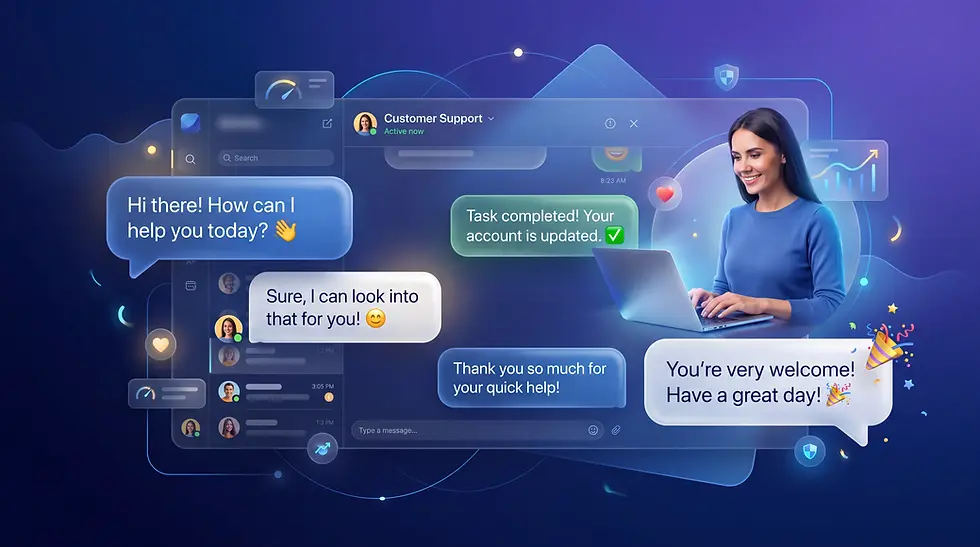
Customer support used to sound like a policy manual. Formal greetings, rigid scripts and plain text replies were the norm. Today, customers reach support teams through live chat, messaging apps and social media, which are the same places they talk to friends and family. That shift has changed what people expect. They still want fast answers, but they also want to feel like they are talking to a real person.
Emojis in customer support chats can help close that gap. A well-placed smile or thumbs-up adds warmth, clarifies tone and makes a short reply feel friendly instead of cold. Used carelessly, the same emoji can make an agent look dismissive or less capable. Their effectiveness depends on the moment, the customer and your brand voice.
This guide covers why emojis matter, six practical ways to use them, the best emojis for support teams, when to avoid them, and how to measure whether they actually improve the customer experience.
TL;DR
Emojis help support agents sound warmer and more human in text-based conversations.
Research shows customers see agents who use emoticons as warmer but sometimes less competent, so context matters.
Use emojis for greetings, thanks, confirmations and celebrations. Skip them for complaints, outages, billing disputes and bad news.
Every message should be clear without the emoji. One emoji per message is usually enough.
Measure the effect with CSAT, sentiment and A/B tests instead of assuming emojis help.
What Does Using Emojis in Customer Support Mean?
Using emojis in customer support means adding small visual symbols, such as 😊, 👍 or 🎉, to live chat, messaging or social media replies to signal tone and emotion. In face-to-face conversations, people rely on facial expressions and voice to read intent.
Text removes those cues. Emojis act as a lightweight substitute, helping a customer understand that a short reply like "Done!" is friendly rather than abrupt.
Emojis are not a replacement for clear language, accurate answers or empathy. They are a finishing touch that works best when the substance of the reply is already strong.
Why Emojis Matter in Customer Support
Emojis matter because they restore some of the tone and emotion that text-based customer communication loses. When used well, they make live chat support feel more personal, help agents build rapport and make positive moments in the customer experience easier to remember.
Making conversations feel more human
Customers know that many websites use bots and automated flows. A natural, friendly emoji in the right place is one of the small signals that tells the customer a real person is paying attention. In Adobe's 2019 Emoji Trend Report, which surveyed 1,000 U.S. emoji users, 81% said people who use emojis seem friendlier and more approachable.
Approachability is exactly what many support teams want customers to feel.
Conveying tone and friendliness
Short chat replies can easily be misread. "Okay, I'll check" may sound impatient.
"Okay, I'll check 😊" sounds willing. Emojis help agents keep replies brief without sounding curt, which matters in live chat where speed is expected and long paragraphs slow everyone down.
Building rapport and customer trust
Rapport grows when customers feel understood. Adobe's 2022 U.S. Emoji Trend Report, based on 5,000 frequent emoji users, found that 88% are more likely to feel empathetic toward someone who uses an emoji. That emotional connection can make customers more patient and more cooperative during troubleshooting.
Making positive interactions more memorable
Celebrating a fixed issue or a completed setup with a simple 🎉 turns a routine resolution into a small positive moment. Research on emoticons in service encounters also suggests that when an employee goes beyond what the customer expected, emoticons can strengthen the positive effect on customer behavior. People remember how a conversation ended, so a warm close reinforces a good experience.
6 Ways to Use Emojis in Customer Support Chats
The six most effective ways to use emojis in customer support chats are greeting customers, saying thank you, acknowledging concerns gently, celebrating resolutions, confirming actions and softening routine messages. Each works because it adds warmth without changing the meaning of the message.
1. Greeting customers and starting conversations
Agent: Hi Maya! 👋 Thanks for reaching out. How can I help you today?
Why it works: The first message sets the tone for the whole chat. A wave or smile makes the opening feel personal instead of automated. If you need ideas for openers, see these live chat welcome messages.
2. Showing appreciation and saying thank you
Customer: Here's the order number you asked for: 48215.
Agent: Thank you so much, that helps! 🙏 Give me one moment to pull it up.
Why it works: Customers often do extra work to help agents, such as finding order numbers or taking screenshots. A small thank-you emoji recognizes that effort and keeps the conversation cooperative.
3. Acknowledging customer concerns with empathy
Customer: I've been trying to log in all morning and keep getting locked out.
Agent: That sounds really frustrating, and I'm sorry you've been stuck. Let's get you back in right away.
Why it works: Notice that this example uses no emoji at all. When a customer is mildly frustrated, empathy in words matters far more than symbols. If you add anything, keep it subtle and only after the problem is moving toward a fix. A cheerful emoji here can feel like the agent is not taking the issue seriously.
4. Celebrating successful resolutions
Agent: Good news! Your account is unlocked and your password has been reset. 🎉
Customer: Finally, thank you!
Why it works: A resolution is the moment customers feel most relieved. A celebration emoji matches that feeling and ends the chat on a high note. This is the ideal moment for a quick live chat survey too.
5. Confirming actions and next steps
Agent: I've sent the replacement label to your email. ✅ Once you drop off the package, your refund will process within 3 to 5 business days.
Why it works: A check mark gives the customer an instant visual confirmation that something has been done, while the text explains exactly what happens next. The emoji supports clarity instead of replacing it.
6. Making routine conversations less robotic
Agent: Here's the link to update your shipping address. Let me know if anything looks off! 🙂
Why it works: Many support replies are repetitive, such as sharing links, resetting settings or answering common questions. Agents often send these from saved replies and canned responses. A light emoji makes templated replies feel less mechanical without slowing anyone down.
Give every chat a friendly, consistent voice
Falkon Chat helps support teams answer customers in real time with saved replies, AI-assisted drafts and a customizable greeting message, so agents can stay fast and still sound human. Try it free and see how it fits your team.
Best Emojis to Use in Customer Support (With Examples)
The best emojis for customer service are simple, positive and widely understood, such as 😊, 🙏, 👍, 🎉, ✅ and 💡. Use the table below as a quick reference for daily conversations.
Emoji | Best use case | Example message |
😊 | Friendly greetings | "Hi! How can I help you today? 😊" |
👋 | Opening or closing a chat | "Hi Sam! 👋 What can I do for you?" |
🙏 | Appreciation and patience | "Thanks for your patience! 🙏" |
👍 | Simple confirmation | "I've updated that for you. 👍" |
✅ | Task completed or next step done | "Your refund request is submitted. ✅" |
🎉 | Celebrating success | "Your account is all set! 🎉" |
💡 | Sharing a tip | "Here's a quick tip to help you get started. 💡" |
📩 | Pointing to an email or message | "I've sent the invoice to your inbox. 📩" |
⏳ | Something is in progress | "Your export is processing now. ⏳" |
❤️ | Showing care, when appropriate | Use sparingly, depending on brand tone and customer expectations. |
Emoji meanings can vary across cultures, age groups and contexts. Emojis also look slightly different across devices and operating systems, so stick to simple, popular options that are hard to misread. Choosing the default yellow emojis rather than skin tone variations is a simple way to stay neutral and inclusive.
Emojis to avoid in customer support chats
Emoji | Why to avoid it |
😂 | Can read as laughing at the customer, especially when something has gone wrong. |
🙄 | Signals annoyance or sarcasm. |
😬 or 😅 | Suggests awkwardness or nervousness, which can reduce confidence in the fix. |
😉 | Can feel flirty or overly familiar in a professional setting. |
💀 | Younger users often use it to mean "I'm dying of laughter", while others read it literally. Too ambiguous. |
🤡, 🍑, 🍆 | Adobe's 2021 global report listed these among the most misunderstood emojis. Never worth the risk. |
When Should Customer Support Agents Avoid Emojis?
Customer support agents should avoid emojis when the customer is angry, when the issue is serious, when money or sensitive data is involved, when delivering bad news and when the customer writes formally. In these moments customers care most about competence, and emojis can make a reply feel careless.
This is backed by research. A study by researchers at Hong Kong Baptist University and partner universities found that customers see service employees who use emoticons as warmer but less competent. In unsatisfactory service situations, customers placed more value on competence, and emoticons tended to make the situation worse.
Handling angry or frustrated customers
An upset customer wants acknowledgment and action. Even a friendly smile can read as sarcasm. Focus on listening, apologizing where appropriate and explaining the fix. These tips on how to handle angry customers go deeper.
Communicating serious issues, errors or service outages
During outages, data issues or security incidents, every word should signal control and clarity. Emojis can make the company look like it is not taking the impact seriously.
Discussing billing disputes, refunds or sensitive information
Money, personal data and account access are emotional topics. Keep the language precise and the tone calm. A 👍 next to a disputed charge can feel dismissive even if it is meant as reassurance.
Delivering bad news or explaining policy limitations
When the answer is no, the goal is to be honest, kind and helpful about alternatives. Emojis can feel like an attempt to sugarcoat the message.
Communicating with customers who prefer a formal tone
Some customers write in full, formal sentences and never use emojis themselves. Others prefer a purely transactional relationship with brands. For these customers, emojis may come across as unprofessional, so match their style.
Before and after example
Customer: I was charged twice for my subscription and I need this fixed today.
Agent (before): Oh no, that's not good! 😅 Let me check.
Agent (after): I'm sorry about the double charge, I understand why that's upsetting. I can see both payments on your account, and I'm refunding the duplicate right now. You'll get a confirmation email within the next few minutes.
The first reply uses a nervous emoji that makes the agent sound unsure. The second reply shows empathy, takes ownership and explains exactly what will happen. It is stronger without any emoji.
Emoji Etiquette Checklist With 7 Best Practices for Support Teams
Good emoji etiquette in customer support comes down to seven rules: match your brand, follow the customer's lead, use emojis sparingly, keep messages clear without them, avoid ambiguous symbols, consider accessibility and document team guidelines.
Match emojis to your brand voice: A playful consumer app can use more emojis than a law firm or healthcare provider. Decide where your brand sits and stay there.
Follow the customer's communication style without blindly copying it: If a customer uses emojis, a light response is fine. Do not mirror sarcastic or negative emojis.
Use emojis sparingly and purposefully: One emoji per message, and not in every message, is a safe default.
Make sure the message remains clear without the emoji: Read the reply with the emoji removed. If the meaning changes or disappears, rewrite the text.
Avoid emojis that may be ambiguous or culturally insensitive: Gestures such as 👌 or 🤞 can have different meanings in different countries.
Consider accessibility and screen readers: Screen readers announce emojis by their names, such as "smiling face with smiling eyes". Several emojis in a row can be tiring to listen to, so place one at the end of a sentence rather than in the middle.
Establish consistent guidelines for the entire support team: Write down approved emojis, situations to avoid and examples. Include them in onboarding and live chat best practices training.
Examples of Customer Support Chats With and Without Emojis
Seeing replies side by side makes it easier to judge when an emoji helps and when it hurts.
Scenario | Weaker reply | Better reply |
Welcoming a new customer | "Hello. How can I help you?" | "Hi there! How can I help you today? 😊" |
Responding to a frustrated customer | "Sorry your payment failed 😂" | "I'm sorry you're experiencing this. I'll help you figure out what happened." |
Confirming a successful resolution | "Fixed." | "I've fixed the issue, and everything should be working now! 🎉" |
Announcing a shipping delay | "Your order is late 😬" | "I'm sorry, your order is delayed by two days. Here's the new tracking date and a discount code for the trouble." |
The goal is not to add emojis to every message. It is to improve tone when the moment is right. In two of the four scenarios above, the best reply has no emoji at all.
How to Measure the Impact of Emojis on Customer Experience
Measure the impact of emojis by comparing CSAT scores, post-chat feedback, sentiment, resolution rates and repeat contacts between conversations with and without emojis, ideally through an A/B test. Do not assume emojis improve satisfaction automatically.
Customer satisfaction (CSAT) scores: Compare average CSAT for chats where agents used emojis against similar chats where they did not.
Post-chat feedback: Read open-ended comments for words like "friendly", "helpful" or "unprofessional".
Customer sentiment and conversation quality: Review transcripts or sentiment data to see whether customers respond more positively after friendly replies.
Resolution rates and repeat contacts: Check that warmer messages are not hiding unclear instructions that lead to follow-up chats.
A/B testing different message styles: Test two versions of a saved reply, one with and one without an emoji, for a few weeks and compare results.
Keep the test fair by comparing similar types of conversations, such as simple how-to questions, and avoid mixing in complaints. For a broader list of what to track, see this guide to live chat metrics.
How Live Chat Software Helps Teams Deliver Better Customer Conversations
Live chat software helps teams use emojis well by making tone consistent across agents. Shared saved replies, AI-assisted drafts, conversation history and built-in CSAT tracking let teams apply emoji guidelines at scale and measure the results.
Maintaining a consistent brand voice across agents
When ten agents each decide how to use emojis, customers get ten different brand personalities. A shared tool with approved replies and clear guidelines keeps the experience consistent.
Using saved replies and templates while keeping conversations personal
Templates save time, and adding an approved emoji to the right templates bakes good etiquette into daily work. Agents can then personalize names and details. These ready-to-use live chat scripts are a useful starting point.
Managing conversations across multiple agents
Conversation history and chat summaries help a second agent understand the customer's mood before replying. That context helps agents decide whether a friendly emoji fits or whether the customer needs a more careful tone.
Training agents to communicate with empathy and clarity
Transcripts, CSAT feedback and performance analytics give managers real examples for coaching. Strong live chat agent skills like empathy and clear writing matter more than any emoji.
Tools like Falkon Chat bring these pieces together in one place, including saved replies, AI-assisted replies, chat summaries, in-chat CSAT feedback and performance analytics. Any business, from small teams to growing support departments, can use it to keep conversations consistent while still sounding human.
Frequently Asked Questions
Should customer support agents use emojis?
Yes, customer support agents can use emojis in casual or positive moments such as greetings, thank-yous and successful resolutions. They should avoid them with upset customers, serious issues and formal conversations. The key is to match the customer's tone and your brand voice, and to keep every message clear without the emoji.
Which emojis are best for customer service?
The best emojis for customer service are simple and positive, including 😊 for greetings, 🙏 for thanks, 👍 and ✅ for confirmations, 🎉 for celebrating success and 💡 for tips. Avoid ambiguous or sarcastic emojis such as 😂, 🙄 and 😉, which customers can easily misread.
Are emojis appropriate in professional customer conversations?
Emojis can be appropriate in professional customer conversations when the channel is informal, such as live chat or messaging, and the customer's tone is friendly. In formal industries or sensitive situations, it is safer to skip them. A good rule is to follow the customer's lead and your brand guidelines.
Can emojis improve customer satisfaction?
Emojis can improve customer satisfaction when they make a helpful agent feel warmer and more approachable. Research shows they can also reduce perceived competence, especially when service goes wrong. Their impact depends on context, so teams should measure CSAT and feedback rather than assume emojis always help.
When should customer service agents avoid emojis?
Customer service agents should avoid emojis when a customer is angry, during outages or security issues, in billing disputes or refunds, when sharing bad news or policy limits, and with customers who write formally. In these moments, clear and empathetic words build more trust than symbols.
How many emojis should you use in a live chat?
In most live chats, use no more than one emoji per message and only in a few messages across the conversation. Place it at the end of a sentence. Using several emojis in a row can look unprofessional and is harder for screen reader users to follow.
Do emojis work with screen readers?
Yes, screen readers read emojis aloud using their official names, such as "thumbs up" or "party popper". This means emojis do reach visually impaired customers, but too many can make a message long and confusing. Use one meaningful emoji and never rely on it to carry important information.
Should chatbots and AI assistants use emojis?
Chatbots and AI assistants can use emojis lightly in greetings and confirmations to feel friendlier, as long as they follow the same brand guidelines as human agents. They should drop emojis when a customer shows frustration and hand off to a human agent when the issue becomes complex or emotional.
Use Emojis to Make Customer Support More Human
Emojis can help support teams communicate warmth, appreciation and friendliness in a channel that often feels cold. A smile in a greeting, a check mark on a completed task or a celebration at the end of a fixed issue can make a conversation feel more human.
Still, empathy, clarity and fast resolutions matter far more than decoration. Customers forgive a plain reply that solves their problem. They rarely forgive a cheerful emoji next to bad news. The best approach is to create simple team guidelines, use emojis only where they add something, adapt to each customer and measure the results. For more ideas on raising the overall standard of your support, explore these tips on how to improve customer service.
Ready to make every customer conversation count?
Whether you are adding live chat for the first time or improving an existing support workflow, Falkon Chat gives your team a simple way to respond quickly, stay on-brand and track customer satisfaction. Explore the features, check the pricing, or start free today.


Comments